Visual Basic Books
Home
Visual Basic Beginner Books
Visual Basic Database Books
Visual Basic ActiveX Books
Visual Basic Advanced Books
VB Internet Programming Books
Resources
Free Online Visual Basic Courses
Visual Basic Links
Add a Link
Subscribe to Mailing List
 Visual Basic Books
Programming Components with Microsoft Visual Basic 6.0Creating When saved by Visual Basic, a UserControl object is stored in a plain text file with a .CTL extension. The .CTL file contains the source code and property settings for the UserControl object and for any constituent controls that might be present. If a UserControl object or its constituent controls use graphical elements, such as bitmaps, which can’t be stored as plain text, Visual Basic stores those elements in a .CTX file with the same name as the .CTL file.
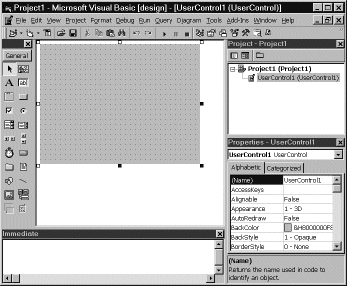
Figure 6-1 . The UserControl designer.The UserControl Object’s Interface If you have worked with Visual Basic for any length of time, you know that there are three basic members you use with controls: properties, methods, and events. Some items, however, are unique to UserControl. These are described in the following tables, which you can peruse to get an idea of the functionality available. We will go into detail on the important items later in this chapter and in successive chapters. |